Instagram Audience Demographics: A Campaign-Fit Checklist
10 min read

Instagram audience demographics are the breakdown of a creator's followers and engaged viewers by age, gender, location, and interests, pulled from Instagram Insights and labeled as verified, estimated, or self-reported. The verdict: those numbers are a solid first filter, but never enough on their own for a campaign-fit decision. You need the Instagram Graph API's reached and engaged data too, plus a provenance check, before you commit budget through a platform like Influenna or anywhere else.
- Follower demographics tell you who's watching, not who's buying.
- Engaged-audience demographics tell you who actually acts on the content.
- Neither exists reliably below a certain account size.
Pro Tip: Demographic panels on Instagram typically don't populate with any statistical confidence until an account crosses roughly 100 followers — treat anything below that as a coin flip, not data.
Key Takeaways
Creator-level Instagram audience demographics only support a campaign decision when they're paired with engaged-audience data and a clear provenance label.
| Point | Details |
|---|---|
| Check account type first | Only Creator and Business accounts expose Insights; personal accounts show nothing. |
| Prioritize engaged over follower data | Engagement-based demographics predict campaign outcomes better than raw follower composition. |
| Respect the 100-follower floor | Demographic panels below roughly 100 followers produce noisy, unreliable estimates. |
| Demand timestamped documentation | Accept only dated exports or screenshots, never an unverifiable claim. |
| Use a structured request process | Influenna's reviewed profiles and structured collaboration requests make verified data easier to obtain. |
Table of Contents
- What Instagram Audience Demographics Actually Show You
- Where the Data Comes From and How to Spot Red Flags
- Reading Demographics for Awareness, Engagement, or Conversion
- A Step-by-Step Match or Pass Checklist
- How to Request Demographic Data the Right Way
- Why Provenance Beats Raw Numbers Every Time
- Getting Verified Creator Data Without the Guesswork
- Sources
- FAQ
What Instagram Audience Demographics Actually Show You
Instagram Insights breaks a creator's audience into a specific set of fields, and knowing what each one measures matters more than knowing it exists. Age ranges arrive in familiar brackets like 18 to 24 and 25 to 34. Gender breakdown shows a simple percentage split. Top cities and top countries appear as toggleable lists, ranked by follower concentration. Primary languages and most active times round out the panel, useful for scheduling posts but less useful for targeting.
The field that trips people up is the gap between follower demographics and reached or engaged demographics. Instagram now separates these, and per-post reached demographics are sometimes visible for individual pieces of content, not just the account as a whole.
- Age ranges and gender split (account-wide, updated on a rolling basis)
- Top cities and top countries (toggleable, ranked by concentration)
- Primary languages and most active times
- Follower demographics vs. reached/engaged demographics (two different data sets)
- Per-post reached demographics, where the creator's account and post type support it
None of this shows up for personal accounts. Instagram Insights only exists for Creator and Business accounts, and demographic panels generally need around 100 followers before the app has enough signal to render age or location breakdowns with any stability. Below that threshold, expect blank tabs or estimates so rough they're barely usable.
Where the Data Comes From and How to Spot Red Flags
Every demographic figure Instagram shows traces back to one of three sources: self-reported profile fields (age and gender a person entered at signup), logged-in behavior signals (location inferred from device and activity), or aggregate estimates the Graph API compiles from all of the above. None of it is independently audited. That's exactly why provenance labeling, verified, estimated, or self-reported, matters more than the number itself.
Freshness matters too. In-app Insights start counting from the day an account switches to professional, so a creator who converted last month has a thin history. The API layer adds its own lag, typically a 24 to 48 hour processing delay before new data settles.
Watch for these red flags before you trust a screenshot:
- Geographic spread that looks implausibly even across dozens of countries with no dominant market
- A follower count that spiked hard in a short window with no viral post to explain it
- Big follower numbers paired with engagement that barely moves
- A demographic claim with no export, no timestamp, and no way to verify it independently
Pro Tip: Always ask for a dated export or a screenshot with the phone's clock visible in frame. A number with no timestamp is a number you can't verify.
Reading Demographics for Awareness, Engagement, or Conversion
The demographic slice that matters shifts entirely based on what the campaign is supposed to do. Treating every metric as equally important is how brands end up disappointed by a creator whose numbers looked great on paper.
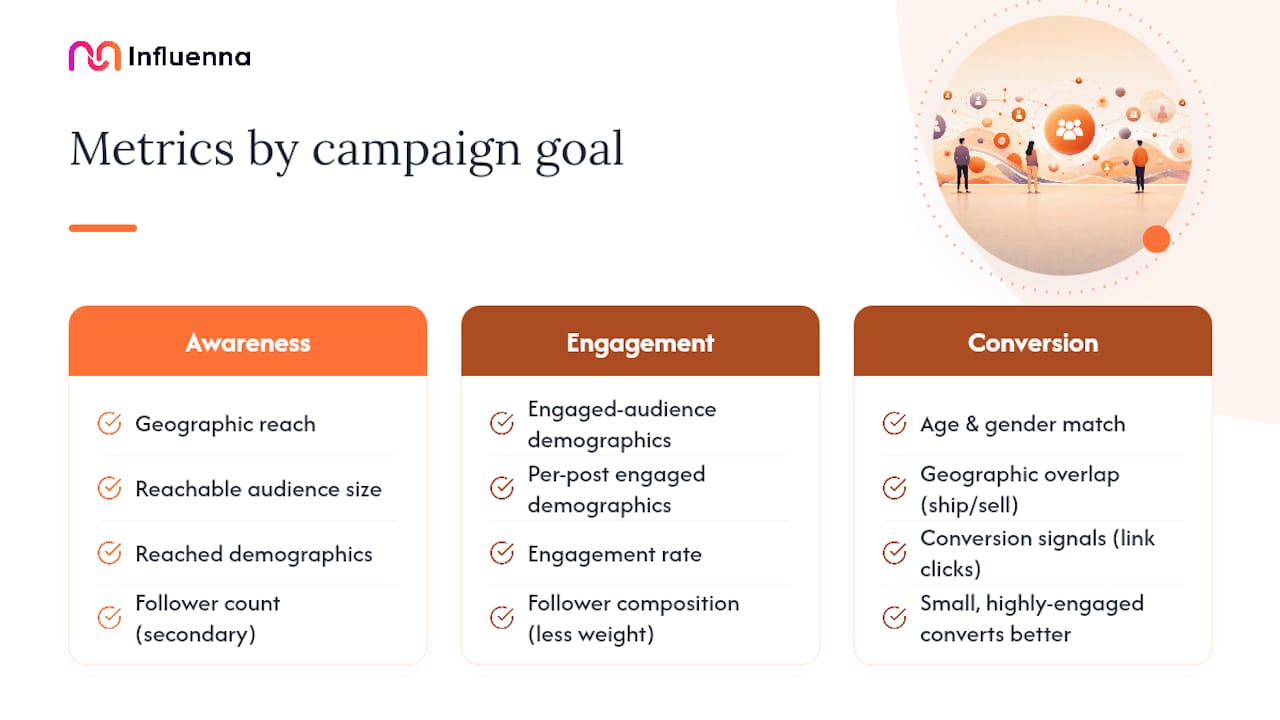
For awareness campaigns, geographic concentration and total reachable audience carry the most weight. You want the reached demographics, not just the follower count, since reach shows who Instagram actually served the content to during a given window.
For engagement-driven work, follower composition matters less than engaged-audience demographics. A creator can have a follower base that's 60% in one age bracket while the people who actually comment and share skew differently. Per-post engaged demographics, when available, settle that question directly.
For conversion campaigns, you need the tightest match: age and gender alignment, geographic overlap with where the product ships or sells, and some prior evidence the creator's content drives action, link clicks, swipe-ups, or comparable engagement signals.
A useful heuristic: a smaller, tightly engaged audience often out-converts a larger, passive one. A creator with 40,000 followers and a 6% engagement rate concentrated in your target city usually beats one with 200,000 followers and 1% engagement scattered globally. Size alone tells you almost nothing about outcome.
Two quick examples: a skincare brand chasing awareness in Southeast Asia should weight reached-audience geography over raw follower count. A subscription app chasing signups should weight engaged-audience age and gender match, plus any visible history of link-click activity, over total audience size entirely.
A Step-by-Step Match or Pass Checklist
Run this in order. Skipping steps is how mismatched partnerships get greenlit.
- Confirm account type. Personal accounts don't expose Insights at all, so verify Creator or Business status before asking for anything.
- Pull follower vs. engaged demographics separately. Never accept one number standing in for both.
- Check geographic match. Compare top cities and countries against your actual customer base, not your assumed one.
- Overlay the campaign persona. Line up age, gender, and location against your target customer profile field by field.
- Assess recency and documentation. Confirm the export or screenshot is dated within the last 30 to 60 days and matches the account's current follower count.
Once you've worked through the checklist, sort the creator into one of three buckets:
- Yes: Engaged-audience demographics align closely with your target persona, geographic concentration matches your market, and the data is recent and exportable.
- Maybe: Follower demographics look right but engaged data is missing or thin, or the account sits near the 100-follower demographic floor, worth a small test campaign before a bigger commitment.
- No: Follower size and engagement don't line up, geographic spread looks implausible, or the creator can't produce a timestamped export.
Minimum documentation to accept: a timestamped Audience export, a composite Insights screenshot showing the phone's date and time, or a summary pulled directly from API access. Anything less is a claim, not evidence.
How to Request Demographic Data the Right Way
Asking for this data doesn't require an awkward negotiation. A short, specific request gets better results than a vague one, and it signals you know what you're looking at.
- Specify the account type and ask for confirmation it's Creator or Business.
- Request a screenshot or CSV export with a visible timestamp.
- Ask for a defined date range, ideally the trailing 30 to 90 days.
- Ask separately for reached and engaged demographics, not just follower breakdowns.
- Confirm receipt in writing and log the provenance label directly in the campaign brief.
Instagram's native Audience panel supports exporting this as a CSV with country, city, age, gender, and follower counts, which covers most verification needs without involving a third-party tool.
Request only aggregate, non-identifying figures. There's no reason to ask a creator for anything beyond what Instagram already aggregates and displays.
Keep the exchange structured rather than a string of DMs. A mutual-approval process, where contact details unlock only after both sides confirm interest, keeps the request professional and protects the creator's privacy at the same time.
Why Provenance Beats Raw Numbers Every Time
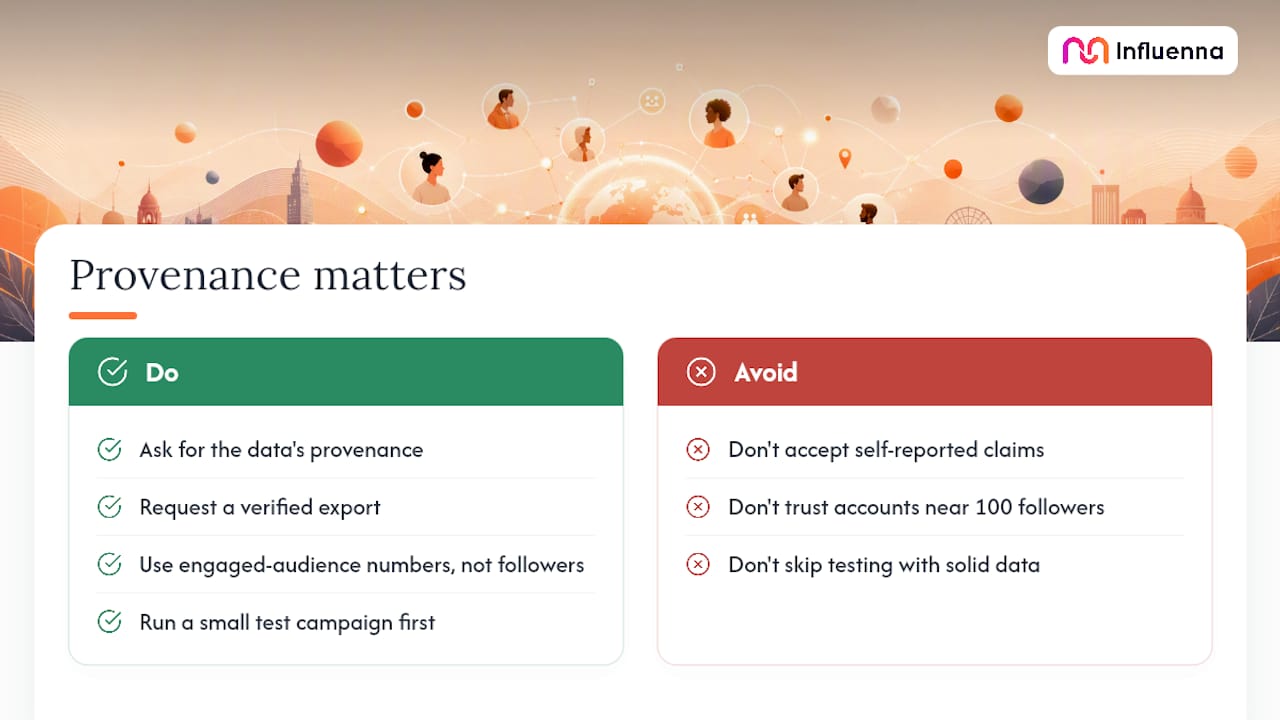
The brands that get burned aren't the ones who misread a chart. They're the ones who never asked where the chart came from. A verified export beats a self-reported claim every time, and an engaged-audience number beats a follower number for almost any campaign goal. Small accounts near that 100-follower floor deserve extra skepticism, and even solid data warrants a small test campaign before a full commitment.
Getting Verified Creator Data Without the Guesswork
Most of the friction in this process isn't the data itself, it's getting a creator to actually send it, and trusting what arrives when they do. Influenna is built around that exact gap. Every account on the marketplace goes through human review before it's visible, which filters out the accounts that wouldn't survive a provenance check anyway.
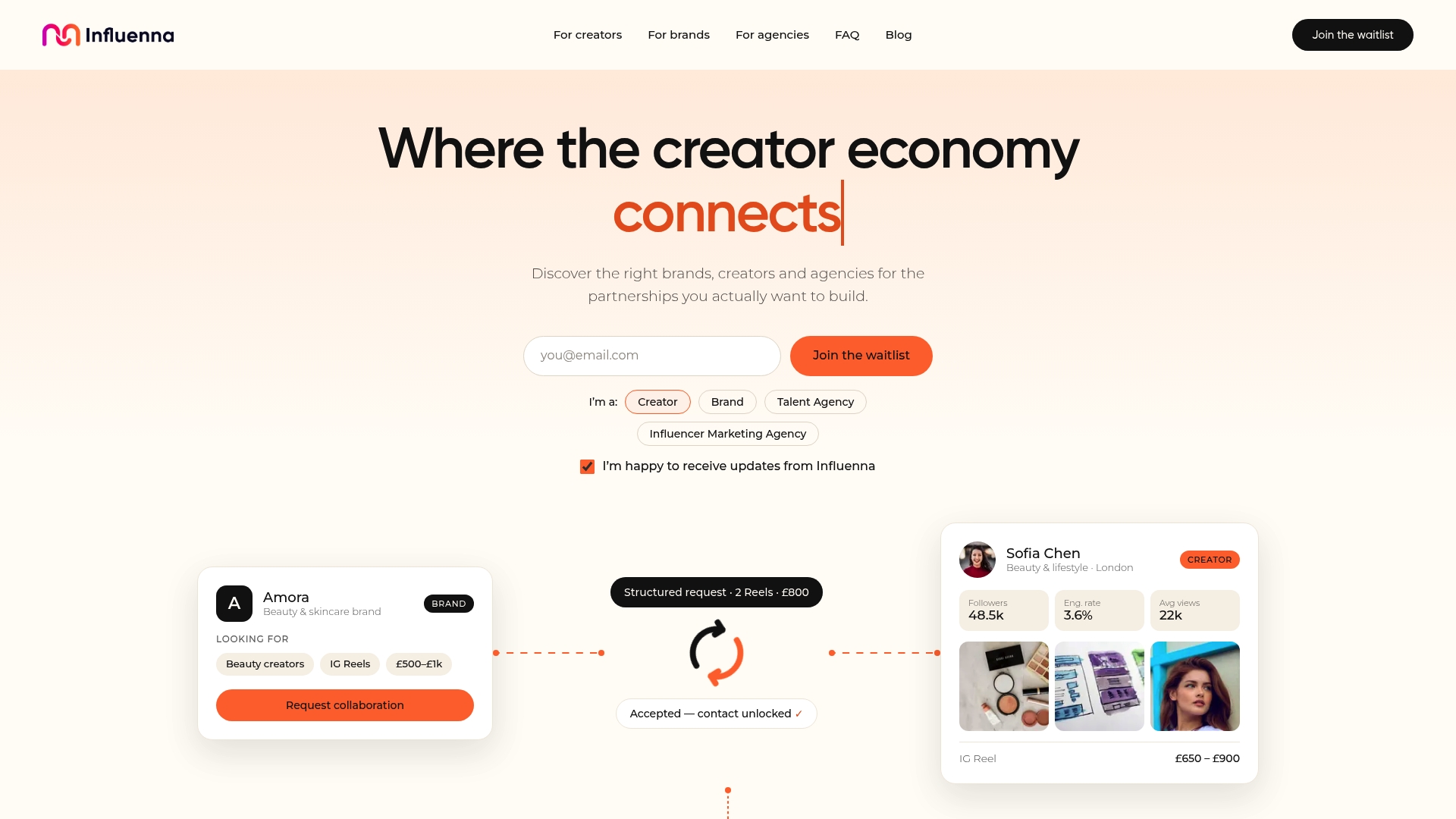
Instead of cold DMs asking for a screenshot, brands and agencies send structured collaboration requests that specify exactly what's needed, timestamped exports, reached versus engaged demographics, whatever the campaign requires. Contact details stay private until both sides approve the match, which keeps the exchange professional on both ends. For teams that want a workflow where the request format itself invites the right documentation instead of hoping a creator volunteers it, Influenna's marketplace is worth a look. The waitlist is open now for brands, agencies, and creators who want to skip the cold-outreach guesswork.
Sources
- Instagram Insights: What They Mean & How to View Them (2026) | InstantDM
- How to See Your Instagram Follower Demographics
- Instagram Insights Dimensions & Metrics 2026
FAQ
What Counts as Verified Instagram Audience Data?
Verified data comes from a timestamped export or screenshot pulled directly from Instagram Insights or the Graph API, not a self-reported claim with no supporting document.
How Many Followers Before Demographics Show Up?
Instagram generally needs around 100 followers before age, gender, and location panels populate with usable estimates.
Should I Trust Follower Demographics Over Engaged Demographics?
No. Engaged-audience demographics reflect who actually interacts with content, which tends to predict campaign performance better than static follower composition.
Can Brands Access a Creator's Instagram Data Directly?
Not without the creator's cooperation. Instagram Insights are private to the account owner, so brands need a timestamped export, screenshot, or a structured request through a platform like Influenna.
How Often Does Instagram Update Demographic Data?
Account-level audience panels typically refresh on a rolling basis, while Graph API data carries a 24 to 48 hour processing delay before it's available.